
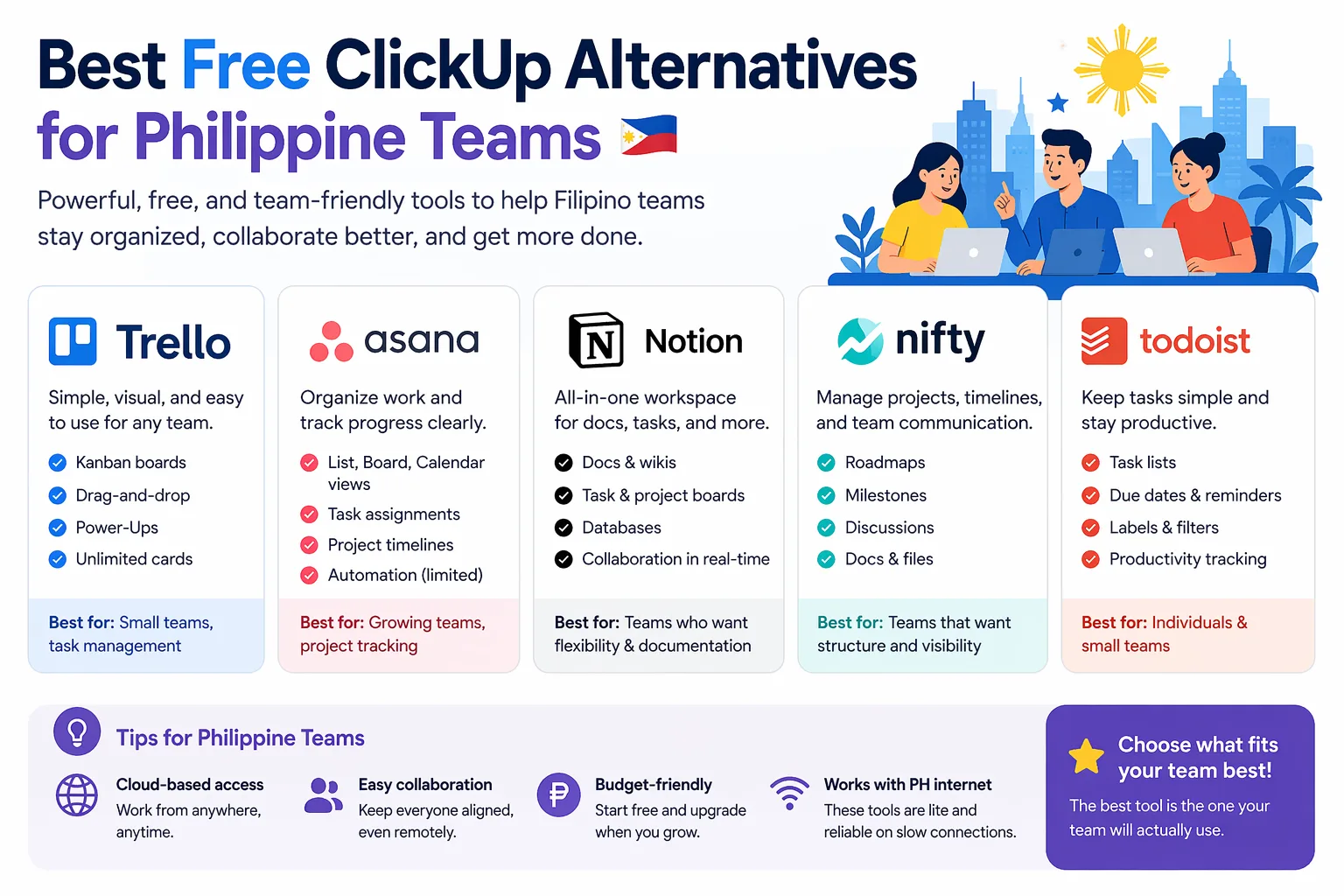
Best Free ClickUp Alternatives for Philippine Teams
If you are searching for clickup alternatives free philippines, you are probably looking for a tool that is easier to use, cheaper to adopt, or better suited for a small team that does not need all the complexity of a full project management suite.
For many Philippine teams, the real goal is simple: keep tasks visible, collaborate in one place, and avoid paying for features you will not use yet. Whether you are a startup, agency, ecommerce team, virtual assistant group, or internal operations team, free plans can be a smart starting point.
Below, we compare practical free alternatives to ClickUp that Filipino teams can actually use.
Why teams look for ClickUp alternatives
ClickUp is powerful, but it can feel heavy for smaller teams. Common reasons people look elsewhere include:
- Too many features for basic task tracking
- A learning curve that slows onboarding
- Free plan limits that may not fit growing workflows
- Preference for simpler boards, lists, or calendar-based planning
- Need for a tool that works better for freelancers, small agencies, or lean teams
If your team wants something easier to set up and manage, a free alternative may be a better fit.
Quick comparison of free ClickUp alternatives
| Tool | Best for | Free plan strengths | Main limitation |
|---|---|---|---|
| Trello | Simple visual task tracking | Easy boards, cards, and basic collaboration | Can feel too basic for complex projects |
| Asana | Task coordination for small teams | Good task management and team organization | Advanced features are paid |
| Notion | Flexible docs + light project tracking | Great for notes, databases, and custom workflows | Requires setup and structure |
| Todoist | Personal and small team task lists | Clean interface and fast task entry | Not ideal for full project management |
| Jira | Software and product teams | Strong issue tracking for dev workflows | Can be too technical for non-technical teams |
Best free ClickUp alternatives
1) Trello
Trello is one of the easiest ClickUp alternatives for teams that want a simple visual workflow. It uses boards, lists, and cards, which makes it easy to understand even for first-time users.
Best for:
- Small agencies
- Marketing teams
- Freelancers managing multiple clients
- Admin or operations teams that want a simple board
Why Filipino teams like it:
- Very easy to learn
- Great for task visibility
- Works well for content calendars, onboarding, and team checklists
Possible drawback:
- Not ideal if you need deep reporting, advanced dependencies, or complex multi-layered project views
2) Asana
Asana is a strong free option for teams that need more structure than Trello but do not want the full complexity of ClickUp.
Best for:
- Small business teams
- Remote teams
- Task coordination across departments
Why it stands out:
- Clear task assignment and due dates
- Multiple ways to organize work
- Good for teams that want a professional setup without feeling overloaded
Possible drawback:
- Some of the more useful workflow features are locked behind paid plans
3) Notion
Notion is not a pure project management tool, but many Filipino teams use it as a free workspace for tasks, SOPs, client notes, and internal documentation.
Best for:
- Freelancers
- VA teams
- Agencies that want docs + task tracking in one place
- Teams building custom workflows
Why it works:
- Highly flexible
- Combines notes, databases, and task boards
- Useful for teams that want one system for knowledge and projects
Possible drawback:
- It takes more time to build a good workflow than a ready-made task app
4) Todoist
Todoist is a simple, focused tool for individuals and smaller teams that mainly need task lists and reminders.
Best for:
- Solo freelancers
- Small teams with straightforward task flows
- Daily planning and recurring to-dos
Why people choose it:
- Fast to use
- Clean layout
- Great for personal productivity and light team coordination
Possible drawback:
- Not built for detailed project boards or complex team management
5) Jira
Jira is a strong free alternative for software teams and technical product workflows. It is usually more useful for development teams than for general business teams.
Best for:
- Developers
- QA teams
- Product teams
- Technical project tracking
Why it is valuable:
- Good issue tracking
- Built for sprint-based work
- Useful when your team already follows agile methods
Possible drawback:
- Can be too complex for non-technical users
Which free alternative should you choose?
Choose based on how your team actually works:
- Choose Trello if you want the simplest visual task board
- Choose Asana if you want a more structured team task system
- Choose Notion if you want tasks plus documentation in one place
- Choose Todoist if you mainly need fast, clean task lists
- Choose Jira if your team is technical and sprint-based
For many Philippine teams, the best choice is not the most powerful tool. It is the one your team will actually use consistently.
What Filipino teams should check before switching
Before moving away from ClickUp, review these points:
- Free plan limits: Check how many users, projects, or automations are included
- Ease of use: A simpler tool may save time during onboarding
- Mobile experience: Important for founders, VAs, and remote teams
- Collaboration features: Comments, mentions, file sharing, and notifications matter
- Integration needs: Make sure the tool works with your calendar, email, or communication stack
- Growth path: If you plan to scale, check whether paid plans are still affordable later
A practical recommendation for Philippine use cases
Here are some common scenarios:
- Small ecommerce team: Trello or Asana for orders, tasks, and campaign tracking
- Freelancer or VA: Todoist or Notion for personal workflows and client work
- Agency team: Trello or Notion for content pipelines and internal SOPs
- Software startup: Jira or Asana for sprint planning and issue management
- General office team: Asana for balanced task tracking and collaboration
Final thoughts
If you are comparing clickup alternatives free philippines, the best choice depends on whether your team wants simplicity, flexibility, or technical project tracking.
ClickUp is not the only option, and for many Filipino teams, it may not even be the easiest one. A free tool like Trello, Asana, Notion, Todoist, or Jira can be enough to organize work without adding unnecessary complexity.
If you want to compare more tools and find better-fit alternatives for your team, explore RPAMZ for practical software comparisons, pricing guides, and business tool recommendations made for Filipino users.
FAQ
What is the best free ClickUp alternative for small teams in the Philippines?
For most small teams, Trello is the easiest free ClickUp alternative to start with. It is simple, visual, and quick to adopt.
Is there a completely free project management tool?
Yes, several tools offer free plans. However, free plans usually have limits on users, projects, automations, or storage.
Which alternative is best for freelancers?
Freelancers often prefer Todoist or Notion because they are flexible, simple, and useful for both tasks and notes.
Which free tool is closest to ClickUp?
Asana is often considered a closer match for team task management, while Notion is better if you want customization.
Can Philippine teams use these tools for remote work?
Yes. These tools are commonly used for remote collaboration, task assignment, and progress tracking across distributed teams.