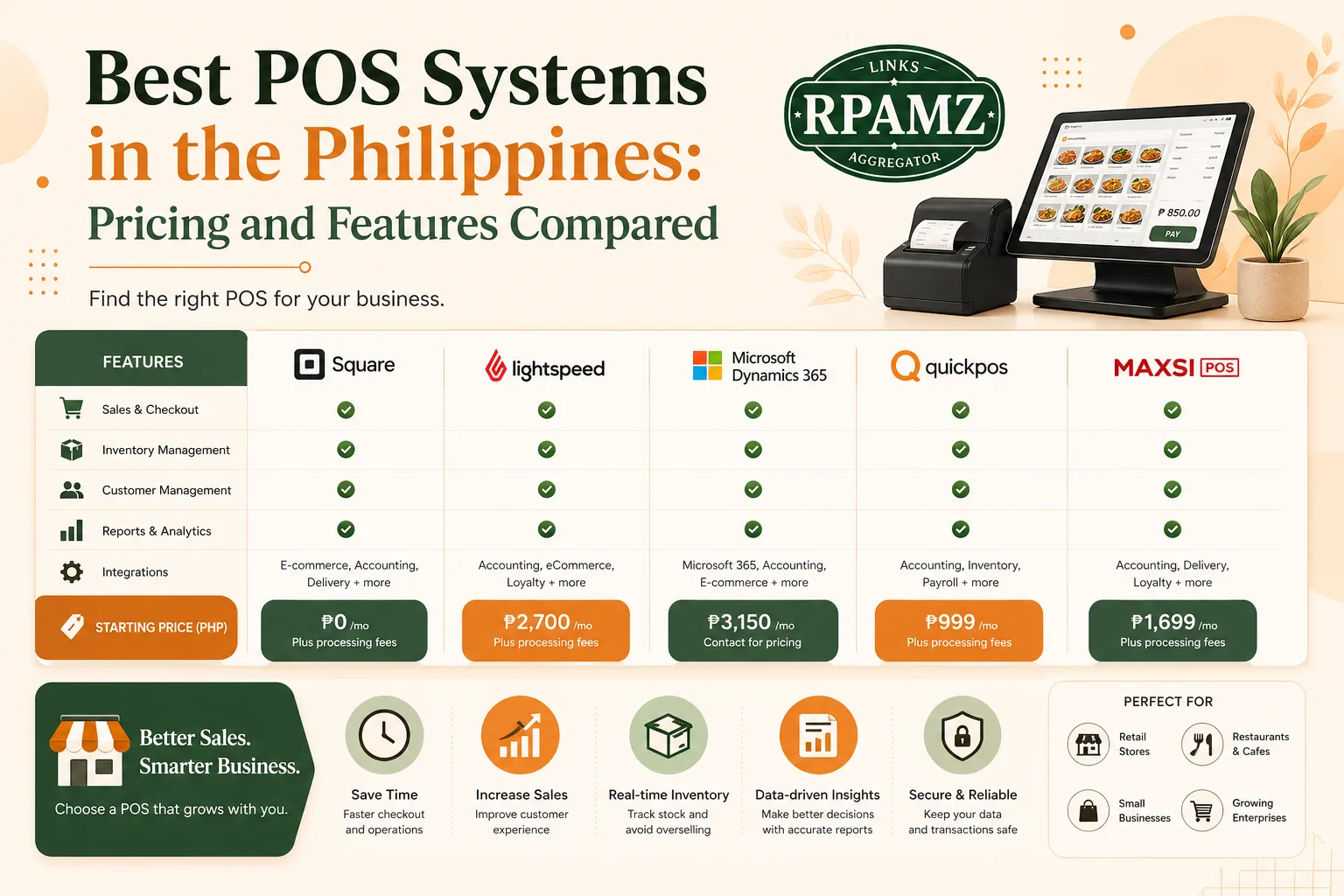
Best POS Systems in the Philippines: Pricing and Features Compared
Choosing the best POS system Philippines business owners can rely on is not just about checkout speed. The right point-of-sale tool should help you track inventory, manage sales, generate reports, and make daily operations easier.
If you run a sari-sari store, retail shop, café, restaurant, or service business, your POS should fit your workflow and budget. Some tools are better for simple in-store sales, while others are built for multi-branch operations, inventory-heavy stores, or food service.
In this guide, we’ll compare popular POS options for Filipino businesses, what they are good at, and what to check before you buy.
Quick comparison: POS systems at a glance
| POS System | Best for | Pricing model | Key strengths | Things to check |
|---|---|---|---|---|
| Square POS | Small retail and service businesses | Free plan available; paid add-ons vary | Easy to use, solid sales tracking | Availability and local payment fit |
| Lightspeed Retail | Retail stores with inventory needs | Subscription-based | Inventory tools, reporting, multi-location | Higher price point |
| Toast | Restaurants and cafés | Subscription-based | Restaurant workflows, order management | Regional availability and hardware costs |
| Shopify POS | Ecommerce + physical stores | Subscription-based | Omnichannel selling, synced catalog | Best if you already use Shopify |
| Vend by Lightspeed | Retail stores | Subscription-based | Product management, reports | Pricing can grow with features |
| Loyverse POS | Small shops and startups | Free core app; paid add-ons | Budget-friendly, simple setup | Advanced features may require add-ons |
| Erply | Multi-store retail | Subscription-based | Strong inventory and customer tools | Can be complex for very small stores |
Note: Pricing and feature sets can change. Always confirm current plans on the official website before deciding.
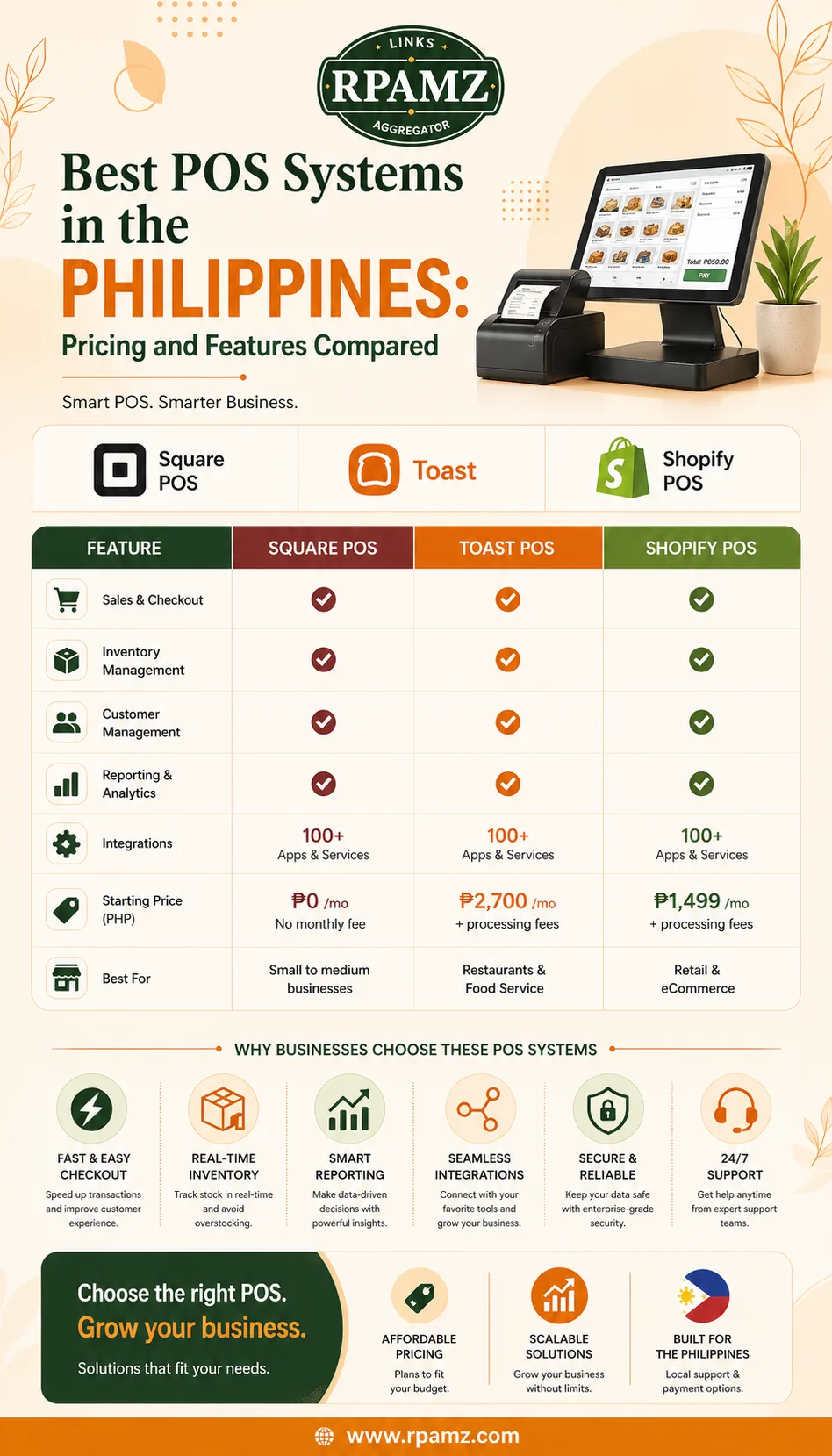
What to look for in the best POS system in the Philippines
Before comparing brands, focus on the features that actually matter to your business.
1. Easy checkout flow
A good POS should let staff ring up sales quickly. Look for:
- Fast item search
- Barcode scanning support
- Discount and promo handling
- Refund and return tools
- Split payment support
2. Inventory tracking
For retail stores, inventory is usually one of the biggest reasons to get a POS system. Useful features include:
- Stock in and stock out tracking
- Low-stock alerts
- Variant management for sizes and colors
- Purchase order tracking
- Product bundles or kits
3. Sales reporting
Good reporting helps owners understand what is selling and when. Check for:
- Daily, weekly, and monthly sales reports
- Best-selling products
- Staff performance reports
- Payment method breakdown
- Tax summaries
4. Hardware compatibility
Some businesses only need a tablet and receipt printer. Others need a full setup with:
- Barcode scanner
- Receipt printer
- Cash drawer
- Customer display
- Kitchen printer for restaurants
5. Multi-location support
If you have more than one branch, choose a POS that can handle shared inventory, centralized reporting, and user permissions.
6. Offline capability
Internet can be unreliable in some areas. An offline mode helps keep checkout running even if your connection drops.
Best POS systems for different types of businesses
There is no single best POS for every store. The right choice depends on your business model.
Best for small retail stores: Loyverse POS
Loyverse is often a practical choice for small stores that want a simple and affordable setup. It is useful for owners who need:
- Basic sales tracking
- Simple inventory management
- Customer records
- Easy onboarding for staff
It can be a good starting point for sari-sari stores, pop-up shops, and small retail counters.
Best for inventory-heavy retail: Lightspeed Retail
Lightspeed Retail is built for stores that need stronger product and inventory controls. It is a better fit if you manage:
- Multiple product variants
- Larger catalogs
- Purchase orders
- Multiple branches
This type of POS usually costs more, but the inventory depth can be worth it for growing retailers.
Best for restaurants and cafés: Toast
Toast is designed for food service workflows. If you run a café, restaurant, bakery, or quick-service food business, look for features like:
- Table management
- Menu item customization
- Kitchen order routing
- Order status tracking
Before choosing, make sure the hardware and support options fit your location and budget.
Best for ecommerce + offline selling: Shopify POS
If you sell both online and in a physical store, Shopify POS can be a strong option because it syncs products and orders in one system.
It is a good fit for businesses that want:
- Unified inventory
- Online and in-store sales in one dashboard
- Customer profile syncing
- Centralized reporting
This is especially useful for brands already using Shopify for their online store.
Best for simple setup and budget control: Square POS
Square POS is known for ease of use and a low barrier to entry. It works well for owners who want a clean checkout interface and basic business tools without a complicated setup.
It may be appealing for service businesses, small shops, and market sellers who want a straightforward system.
Pricing factors to compare before buying
When evaluating the best POS system Philippines businesses can use, don’t look only at monthly subscription fees. Total cost matters.
Ask about these costs:
- Monthly or annual subscription
- Extra cost for add-ons
- Payment processing fees
- Hardware bundles
- Installation or onboarding fees
- Additional branch or user fees
- Support and maintenance fees
Example of total cost thinking
A POS that looks cheaper upfront may become expensive if you need paid features for:
- Inventory reports
- Advanced employee controls
- E-commerce sync
- Multiple terminals
- Loyalty programs
Always compare the full package, not just the base price.
Which POS features matter most for Filipino business owners
For local buyers, these features often matter more than brand name.
Reliable customer support
If your store depends on the POS every day, you need support that responds quickly.
Flexible payment acceptance
Depending on your business, you may need support for:
- Cash
- Cards
- GCash or other digital payments
- Split payments
Easy staff training
If your employees change often, the POS should be easy to train on.
Local business fit
Consider your store type, internet reliability, and whether you need offline sales support.
Our practical buying checklist
Before you choose a system, ask these questions:
- Does it fit my business type?
- Can it manage my inventory properly?
- Is the pricing affordable long term?
- Does it work with the hardware I already have?
- Can staff learn it quickly?
- Does it support my payment methods?
- Is there reporting I can actually use?
If you answer “no” to any of these, keep comparing.
Final recommendation
The best POS system Philippines stores can choose depends on the kind of business you run:
- Choose Loyverse if you want a simple, low-cost start.
- Choose Lightspeed Retail if inventory depth is a priority.
- Choose Toast if you run a restaurant or café.
- Choose Shopify POS if you sell online and offline.
- Choose Square POS if you want a simple and easy setup.
The safest move is to compare POS tools based on real workflow, not just price. That way, you avoid paying for features you do not need.
If you want more comparisons, alternatives, and pricing breakdowns for business software, explore RPAMZ to compare tools before you buy.
FAQ
What is the best POS system in the Philippines for small business?
For many small businesses, a simple POS like Loyverse or Square can be a good starting point because they are easier to set up and manage.
Which POS is best for retail inventory management?
Lightspeed Retail and Erply are often stronger choices for retail businesses that need deeper inventory tools and reporting.
Is there a free POS system for small stores?
Some POS platforms offer free core plans or free starter versions, but advanced features usually require paid upgrades.
Can a POS system work offline?
Some POS systems offer offline functionality, which is useful if your internet connection is unstable. Always confirm this before buying.
What hardware do I need for a POS setup?
A basic setup may include a tablet or computer, receipt printer, barcode scanner, and cash drawer. Restaurants may also need kitchen printers.
Should I choose a POS with ecommerce integration?
Yes, if you sell both online and in-store. Ecommerce integration helps keep inventory and orders synced across channels.