
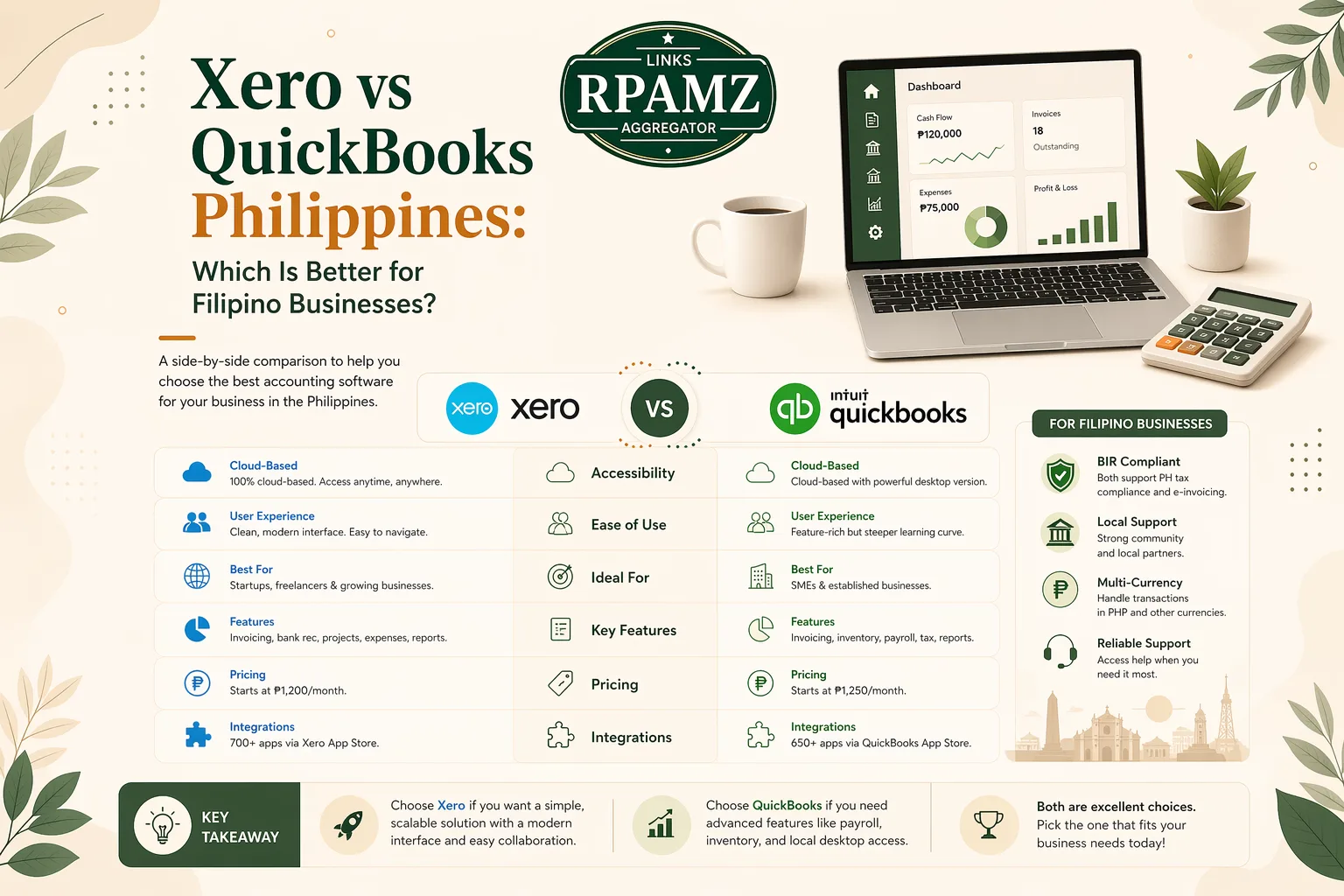
Xero vs QuickBooks Philippines: Which Is Better for Filipino Businesses?
Choosing accounting software is not just about features. For Filipino businesses, the better choice depends on how you invoice, track expenses, manage VAT, work with your bookkeeper, and handle multi-currency transactions or remote teams.
If you are comparing Xero vs QuickBooks Philippines, you are likely already close to buying. Both are popular cloud accounting tools, but they fit different workflows. This guide breaks down the differences in a practical way so you can choose the one that matches your business.
Quick comparison table
| Category | Xero | QuickBooks |
|---|---|---|
| Best for | Small businesses that want clean cloud accounting and strong bank reconciliation | Businesses that want familiar accounting workflows and flexible bookkeeping tools |
| Ease of use | Modern, simple interface | Easy for many users, especially those familiar with QuickBooks-style workflows |
| Invoicing | Strong and straightforward | Strong and customizable |
| Expense tracking | Good | Good |
| Bank reconciliation | Excellent | Strong |
| Multi-currency | Available on higher plans | Available on higher plans |
| Ecosystem | Large app marketplace | Large app ecosystem |
| Payroll focus | Depends on market availability and integrations | Depends on market availability and integrations |
| Best fit in the Philippines | SMEs that want a streamlined cloud-first setup | Businesses and accountants who prefer a widely recognized accounting platform |
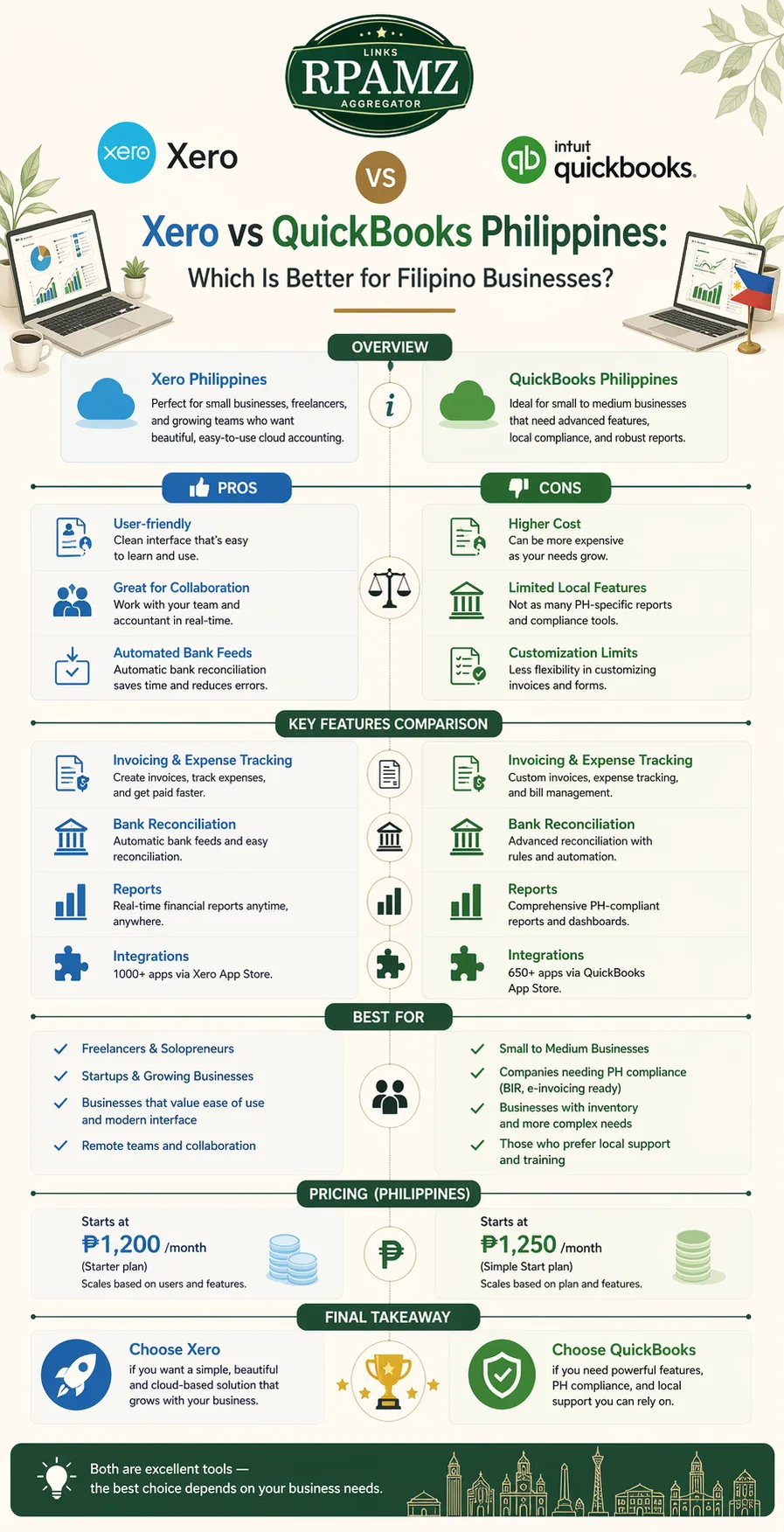
Xero vs QuickBooks Philippines: the quick answer
If you want a simple answer:
- Choose Xero if you want a clean interface, strong bank reconciliation, and a cloud-first experience.
- Choose QuickBooks if you want a very familiar accounting workflow, broad adoption, and tools that many bookkeepers already know.
For many Filipino businesses, the real deciding factors are not brand names. They are:
- how easy it is to issue invoices
- whether the software supports your tax and reporting workflow
- how well it handles local bookkeeping needs
- whether your accountant or bookkeeper already uses it
What Filipino businesses should consider first
Before comparing features, ask these questions:
1. Do you need simple invoicing or full bookkeeping?
If you only need to send invoices, track payments, and monitor cash flow, both tools can work. If you need a full system for accounts payable, bank reconciliation, and financial reports, compare the accounting workflow more carefully.
2. Will your accountant use the software?
A good accounting app is only useful if the person preparing your books can work efficiently in it. Ask your bookkeeper which platform they prefer and why.
3. Do you sell locally, internationally, or both?
If you invoice foreign clients, multi-currency support matters. If you sell mostly in the Philippines, look at how each platform handles local reporting and VAT-style bookkeeping needs.
4. Do you need integrations?
Many Filipino businesses use Shopify, WooCommerce, PayPal, Stripe, GCash-linked tools, CRM software, and payroll or expense apps. The better platform is the one that connects to the stack you already use.
Xero review for Filipino businesses
Xero is popular with businesses that want a clean, cloud-native accounting experience.
Strengths of Xero
- Simple interface that is easy to navigate
- Strong bank reconciliation tools
- Useful invoicing and quote-to-invoice workflow
- Good for businesses that want to collaborate with accountants remotely
- Large app marketplace for adding more functionality
Possible drawbacks of Xero
- Some advanced features may require higher-tier plans
- Local payroll and compliance needs may depend on integrations or external workflows
- Users who prefer more traditional accounting screens may need a short adjustment period
Who Xero suits best
Xero is a strong choice for:
- freelancers with growing client work
- service businesses
- agencies
- ecommerce sellers with multiple tools to integrate
- business owners who want simple cloud accounting
QuickBooks review for Filipino businesses
QuickBooks is one of the most recognized names in accounting software, and many users already have some familiarity with it.
Strengths of QuickBooks
- Familiar for many accountants and bookkeepers
- Strong invoicing and expense tracking
- Good reporting tools
- Broad ecosystem and integrations
- Suitable for businesses that want a well-known accounting platform
Possible drawbacks of QuickBooks
- Interface and plan structure may feel more complex depending on version
- Some features may only be available on higher plans
- Like any global accounting tool, local Philippine workflow needs should be checked carefully before buying
Who QuickBooks suits best
QuickBooks is often a good fit for:
- small businesses with bookkeeping support
- companies that want common accounting terminology and workflows
- businesses already supported by QuickBooks-trained accountants
- firms with recurring billing and expense tracking needs
Feature-by-feature comparison
1. Ease of use
Xero usually feels more modern and streamlined. QuickBooks can also be easy to use, but the experience depends on the version and how much functionality you need.
Best for simplicity: Xero
2. Invoicing
Both tools support professional invoicing, recurring billing, and payment tracking. QuickBooks often appeals to users who want more familiar invoice and bookkeeping controls, while Xero is known for a clean invoicing flow.
Best for clean workflow: Xero
3. Expense tracking
Both platforms let you capture and categorize expenses. The better choice depends on how your team uploads receipts and how your bookkeeper reviews transactions.
Best for standard expense management: Tie
4. Bank reconciliation
This is one of the most important areas for Filipino businesses. If your accounting system is connected to your bank or if you manually upload statements, reconciliation speed matters.
Xero is widely praised for a smooth reconciliation workflow, while QuickBooks is also strong here.
Best for a streamlined process: Xero
5. Reporting
QuickBooks is often preferred by users who want familiar report layouts and a broad reporting toolkit. Xero also offers solid reports for management and bookkeeping.
Best for accounting-style reporting: QuickBooks
6. Integrations
Both tools integrate with many business apps, which matters if you use ecommerce platforms, payroll apps, expense tools, or CRM software.
Best for broad app ecosystems: Tie
7. Collaboration with accountants
This is a big point for Filipino business owners. If your accountant already works in one platform, that can save hours every month.
Best choice depends on your accountant’s preference
Pricing: what Filipino businesses should check
Pricing changes often, so do not choose based only on a blog post date. Always check the latest official pricing before subscribing.
When comparing Xero vs QuickBooks Philippines, focus on:
- entry-level plan limits
- number of users included
- invoice and bill limits, if any
- payroll add-ons
- multi-currency availability
- reporting access
- integration costs
A cheaper plan is not always cheaper in practice if it forces upgrades later. For many businesses, the best value is the plan that matches current needs without creating bookkeeping bottlenecks.
VAT, local compliance, and Philippine bookkeeping
For Filipino businesses, this is the part that matters most.
Neither Xero nor QuickBooks should be treated as a magic compliance solution on its own. Your setup should match:
- your BIR-related filing process
- your tax classification
- your bookkeeper’s workflow
- your document retention habits
- your invoicing and receipt practices
If you are VAT-registered, you should confirm how the software handles tax codes, invoice formatting, and report exports that your accountant can use.
Tip: Ask your accountant to review a trial account before you commit.
Which is better for different types of Filipino businesses?
Freelancers and solo service providers
If you mainly send invoices and track expenses, Xero is often easier to live with. QuickBooks is also a strong option if your accountant prefers it.
Agencies and remote teams
Xero is often a great fit because of its clean collaboration flow and cloud-first design.
Ecommerce sellers
Both tools can work well if they integrate with your sales channels and payment tools. Choose the one that connects more cleanly to your operations.
Traditional SMEs
QuickBooks may appeal if your bookkeeper or finance team already knows it well. Xero is a strong alternative if you want a simpler interface.
Businesses with outside accountants
The best choice is often the software your accountant already uses. Efficiency usually beats feature lists.
Pros and cons summary
Xero pros
- Very clean interface
- Excellent bank reconciliation
- Good for cloud-based workflows
- Strong app marketplace
Xero cons
- Some features depend on higher plans
- Local workflow fit must be checked carefully
QuickBooks pros
- Well-known and widely used
- Strong reporting and bookkeeping features
- Familiar to many accountants
- Good invoicing and expense tools
QuickBooks cons
- Can feel more complex depending on setup
- Plan features vary by version
Final verdict: Xero or QuickBooks?
There is no universal winner in xero vs quickbooks philippines.
Choose Xero if you want:
- a simpler interface
- strong reconciliation
- a modern cloud accounting experience
Choose QuickBooks if you want:
- familiar accounting workflows
- a platform many bookkeepers already know
- strong reporting and invoicing tools
If you are still undecided, start with your real-world workflow:
- Ask your accountant which platform they prefer
- Compare the latest pricing
- Test invoicing and reconciliation in a trial account
- Check integrations with your current tools
FAQ
Is Xero better than QuickBooks for small businesses in the Philippines?
It depends on your workflow. Xero is often better if you want a simple cloud-first system. QuickBooks may be better if your accountant already uses it or if you prefer its reporting style.
Does QuickBooks work for Philippine businesses?
Yes, many Philippine businesses use QuickBooks. The key is to check whether its features match your bookkeeping, tax, and reporting workflow.
Is Xero easier to use than QuickBooks?
Many users find Xero easier because of its clean interface. However, ease of use depends on who is setting it up and whether your accountant is familiar with the platform.
Which is better for VAT-registered businesses in the Philippines?
The better choice is the one your accountant can use confidently for tax coding, invoice tracking, and report exports. Always verify the workflow before subscribing.
Can I switch from QuickBooks to Xero later?
Yes, but migration takes planning. You should export reports, review opening balances, and coordinate with your accountant before switching.
What should I compare before buying accounting software?
Compare pricing, invoice features, bank reconciliation, reporting, integrations, user access, and accountant compatibility.
Compare more tools on RPAMZ
If you are still deciding, compare more software options on RPAMZ. We cover practical tool comparisons, pricing breakdowns, and alternatives for Filipino freelancers, ecommerce sellers, and small businesses.
Browse more comparisons on RPAMZ to find the best accounting and business software for your needs.